
What Every Professional Invoice Must Contain (Complete Checklist)
Learn the 12 essential elements every professional invoice needs to get paid faster and look credible. Free checklist included.

Loopjet Team
Whether you’re a freelancer sending your first invoice or a seasoned consultant, a professional invoice is your ticket to getting paid on time. But what exactly makes an invoice “professional”?
In this guide, we’ll break down every element your invoice needs—not just to look good, but to protect you legally and help you get paid faster.
The 12 Essential Elements of a Professional Invoice
1. Your Business Information
At the top of every invoice, include:
- Business name (or your legal name if sole proprietor)
- Address
- Phone number
- Email address
- Website (optional but professional)
- Tax ID / VAT number (required in many countries)
Pro tip: Use a consistent header that matches your brand. This builds recognition and trust.
2. Client Information
Always include your client’s:
- Company name (or individual’s name)
- Billing address
- Contact person (especially for larger companies)
- Email address
This ensures the invoice reaches the right person and department.
3. Unique Invoice Number
Every invoice needs a unique identifier. This is crucial for:
- Tracking payments
- Tax records
- Resolving disputes
- Professional organization
Common formats:
- Sequential:
INV-001,INV-002,INV-003 - Date-based:
2025-001,2025-002 - Client-based:
CLIENT-001
4. Invoice Date
The date you’re issuing the invoice. This establishes:
- When the billing period ends
- The starting point for payment terms
- Your tax reporting timeline
5. Payment Due Date
Be explicit! Never assume your client knows when to pay.
Common payment terms:
- Due on receipt – Payment expected immediately
- Net 15 – Due within 15 days
- Net 30 – Due within 30 days (most common)
- Net 60 – Due within 60 days (for larger clients)
6. Itemized List of Services/Products
Break down exactly what you’re billing for:
| Description | Quantity | Rate | Amount |
|---|---|---|---|
| Website Design | 1 | $2,500 | $2,500 |
| Logo Design | 1 | $800 | $800 |
| Revisions (hourly) | 3 hrs | $100/hr | $300 |
Why itemize?
- Clients see the value they’re getting
- Reduces questions and disputes
- Makes partial payments easier to track
7. Subtotal
The sum of all line items before taxes. This is your base billing amount.
8. Taxes (VAT, GST, Sales Tax)
Depending on your location and client’s location:
- VAT (Europe): Usually 19-25%
- GST (Australia, Canada, India): Varies by region
- Sales Tax (USA): Varies by state
Important: Always show tax as a separate line item. Include your tax registration number.
9. Total Amount Due
The final amount your client owes—bold and prominent. This should be the most visible number on the invoice.
10. Payment Methods
Make it easy to pay you! Include:
- Bank transfer details (account number, routing number, IBAN)
- PayPal or other digital wallets
- Credit card payment link (if available)
- Check mailing address (if you accept checks)
The easier you make it to pay, the faster you’ll get paid.
11. Late Payment Terms (Optional but Recommended)
Protect yourself by stating:
- Late fee percentage (e.g., “1.5% per month after due date”)
- Grace period if any
- Collection procedures
12. Notes & Terms
A professional touch that can include:
- Thank you message
- Project-specific notes
- Warranty or guarantee terms
- Return/refund policy
Bonus: What Makes an Invoice Look Professional
Beyond the content, presentation matters:
✅ Clean, readable layout – Don’t cram everything together
✅ Your logo and brand colors – Builds recognition
✅ Consistent fonts – Stick to 1-2 professional fonts
✅ PDF format – Looks the same on any device
✅ Mobile-friendly – Many clients review on phones
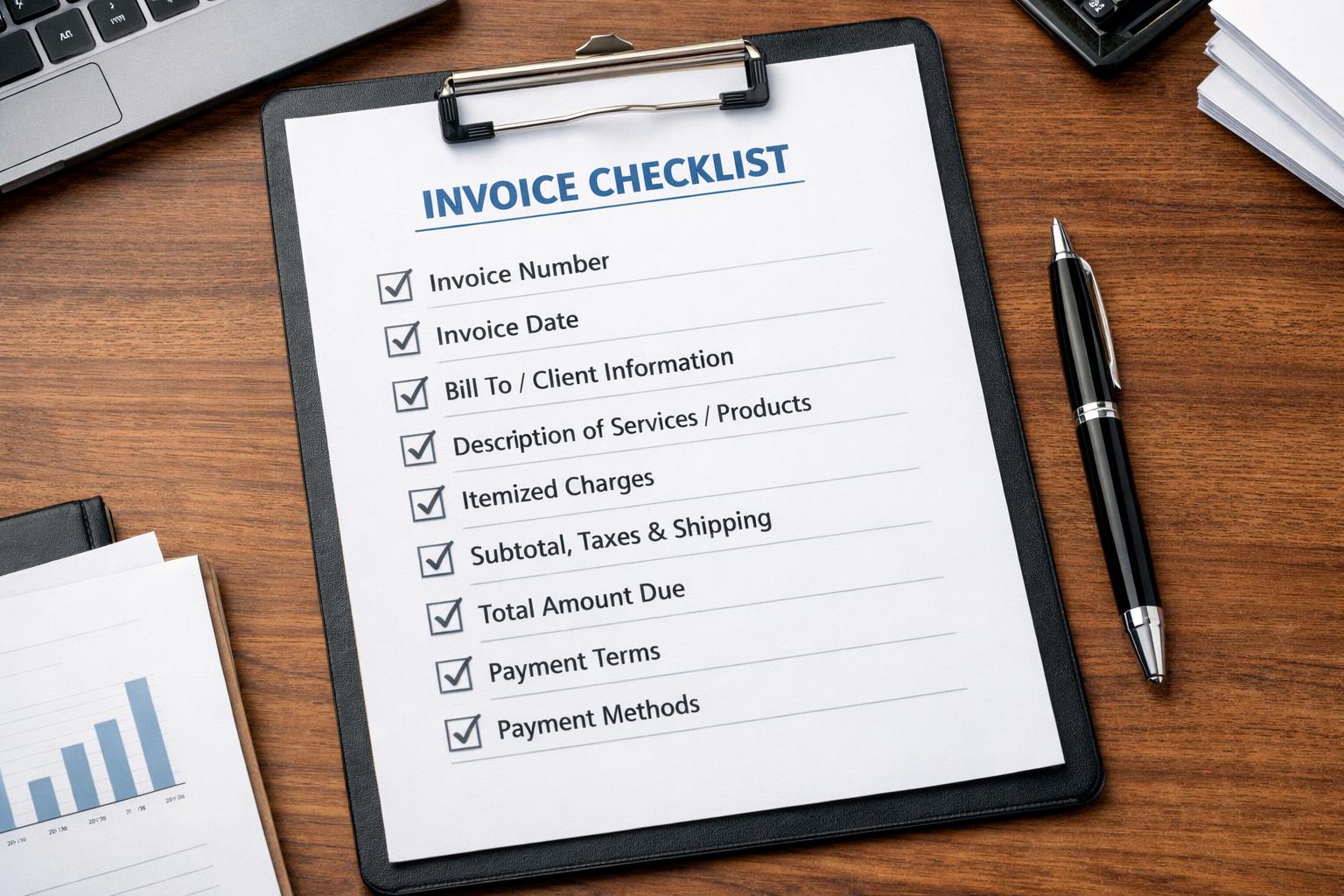
Quick Checklist: Is Your Invoice Complete?
Before sending, verify:
- Your business name & contact info
- Client’s name & address
- Unique invoice number
- Invoice date
- Clear due date
- Itemized services with quantities & rates
- Subtotal
- Applicable taxes
- Bold total amount
- Payment instructions
- Professional formatting
Create Professional Invoices in Seconds
Manually creating invoices that check all these boxes takes time. And time is money.
Loopjet generates professional PDF invoices with:
- ✅ All required fields pre-configured
- ✅ Your branding and logo
- ✅ Automatic invoice numbering
- ✅ Built-in payment links (get paid via credit card)
- ✅ Multi-currency support
- ✅ Tax calculations included
Best part? It’s free to start—no credit card required.
→ Create Your First Professional Invoice for Free
Frequently Asked Questions
Is an invoice legally binding?
An invoice itself is not a contract, but it serves as evidence of an agreement. Always have a signed proposal or contract before invoicing.
What if my client disputes an invoice?
Having itemized descriptions, a unique invoice number, and clear terms helps resolve disputes quickly. Keep all related emails and contracts.
Should I invoice before or after work is complete?
It depends on your agreement:
- Retainers/deposits: Invoice before starting
- Milestone payments: Invoice at each milestone
- Project completion: Invoice when work is delivered
Ready to look more professional and get paid faster? Try Loopjet free and send your first invoice in under 2 minutes.